


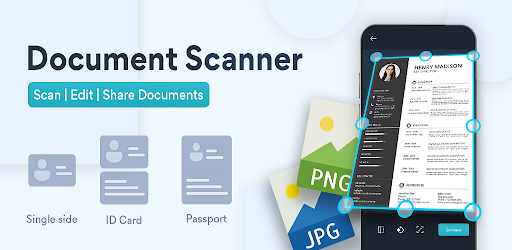
The way we manage documents has changed drastically over the past decade. Gone are the days when people relied solely on bulky scanners, printers, and stacks of paper stored in filing cabinets. Instead, digital transformation has opened the door to convenient, efficient, and reliable alternatives. One of the most valuable advancements is the ability to scan documents online, which has quickly become an essential tool for students, professionals, and everyday users. This simple yet powerful process helps reduce clutter, preserve important information, and create accessible digital files in seconds.
The shift from paper-based processes to online solutions has not only saved time but also improved efficiency across work, education, and personal tasks. Instead of being tied down to a physical scanner, users now have the option to scan files directly from their computer or mobile device. Online scanning tools enable people to capture high-quality digital copies of contracts, IDs, notes, and assignments with ease. In a world where speed and accessibility are more important than ever, learning how to scan documents online offers the convenience and flexibility modern life demands.
Why Choosing the Right Platform Matters
When exploring the many options available, one platform that stands out is TopFileConverter. This tool allows users to scan, convert, and manage documents with ease while maintaining top-notch quality. Unlike traditional scanners that often produce overly large files or low-resolution images, TopFileConverter is designed with precision in mind. It balances efficiency and clarity, ensuring that each scan remains sharp, readable, and professional-looking.
What makes TopFileConverter even more appealing is its versatility. The platform doesn’t just focus on scanning documents but also offers multiple file conversion options. Whether you are a student needing to scan handwritten notes into PDF, a business professional looking to share contracts securely, or an everyday user digitizing old records, this tool provides the solutions you need. By combining usability with advanced features, it simplifies document handling for every type of user.
The Rise of Online Document Scanning in Workplaces
For professionals, the ability to scan documents online has transformed workflows. Offices no longer need to depend on physical scanners, which are often slow, expensive, and prone to technical issues. Instead, employees can instantly scan invoices, receipts, and contracts, then send them via email or store them in cloud platforms. This accelerates decision-making processes, improves collaboration, and reduces operational costs.
Additionally, many companies are adopting remote and hybrid work models, where employees work from different locations. In this scenario, access to a scanner is not always guaranteed. Online scanning tools bridge this gap by ensuring that documents can be digitized from any device with an internet connection. This flexibility allows businesses to stay organized and efficient regardless of where their teams are based.
Benefits for Students and Education
Students are another group benefiting significantly from the ability to scan documents online. With assignments, lecture notes, and research materials often scattered across different sources, digitization makes it easier to keep track of important content. By scanning handwritten notes or printed books, students can create searchable digital files that are accessible on laptops, tablets, or smartphones. This enhances learning efficiency and ensures that information is always within reach.
Furthermore, scanning documents online is particularly useful when submitting assignments or collaborating with peers. Instead of carrying heavy notebooks or relying on photocopies, students can simply scan their work, convert it to PDF, and share it electronically. This not only saves time but also aligns with the growing emphasis on eco-friendly, paperless education environments.
Everyday Uses of Online Document Scanning
While workplaces and schools are major beneficiaries, ordinary individuals also find great value in being able to scan documents online. Consider someone trying to preserve family photographs, medical prescriptions, or legal documents. By digitizing them, they create secure backups that remain safe even if the original copies are lost or damaged. These digital files can then be organized in folders, stored on cloud drives, or shared instantly with family members.
Everyday tasks like renewing official documents, applying for jobs, or submitting forms also become easier with online scanning. Instead of searching for a scanner or traveling to a print shop, users can handle everything from home. Whether it’s scanning an ID card for verification purposes or digitizing receipts for expense tracking, online tools eliminate unnecessary hassle.
Step-by-Step Process to Scan Documents Online
The actual process of scanning documents online is simpler than most people think. The first step involves selecting a reliable platform like TopFileConverter, which guarantees quality and security. Once the tool is chosen, the user simply uploads the physical document using their phone or computer. Ensuring good lighting and a flat background helps produce the best results.
After uploading, users can adjust image settings such as brightness, sharpness, and contrast. This ensures that the scanned document looks clean and professional. Once satisfied, the user saves the document in a preferred format—most commonly PDF—before downloading or sharing it. This streamlined process means that even users with no technical expertise can digitize their files quickly.
Why PDF Is the Preferred Format
When people scan documents online, the most common output format is PDF. This is because PDFs maintain consistent formatting across all devices and operating systems. Whether viewed on a laptop, smartphone, or tablet, the document will appear exactly as intended. This makes it especially useful for professional submissions, academic reports, and legal paperwork.
Another advantage of PDFs is security. Many online tools, including TopFileConverter, allow users to apply password protection and encryption to PDF files. This ensures that sensitive information stays secure even when shared electronically. Compared to formats like JPEG or PNG, PDFs are also easier to organize and combine, making them the gold standard for digital document management.
Ensuring Security While Scanning Online
One of the concerns people often have about scanning documents online is whether their data will remain safe. Since some files may include sensitive information such as contracts, identification numbers, or financial details, ensuring confidentiality is crucial. That is why it’s important to use platforms that prioritize encryption and secure file handling.
TopFileConverter addresses these concerns by implementing strict data protection policies. Files are automatically deleted from servers after processing, ensuring that no unauthorized person can access them. By choosing a secure platform, users can enjoy the convenience of online scanning without worrying about compromising their privacy.
Common Mistakes to Avoid When Scanning Online
Even though online scanning is easy, certain mistakes can affect the quality of results. One common error is uploading unclear photos. For example, capturing a document in poor lighting or at an angle can lead to distorted scans. To avoid this, always ensure that the document is placed on a flat surface with proper lighting before uploading.
Another mistake is neglecting to review the scanned document before saving. Sometimes, pages may be missing, or the text may appear blurry. By previewing the document, users can spot and correct these issues immediately. Paying attention to these small details ensures that the final output is professional and reliable.
The Future of Online Scanning
The ability to scan documents online will only become more advanced as technology continues to evolve. Artificial intelligence (AI) is expected to play a bigger role, with smart algorithms capable of automatically enhancing clarity, correcting errors, and even recognizing text through Optical Character Recognition (OCR). This means scanned files can become fully searchable, making them even more useful for businesses and students alike.
Additionally, integration with cloud platforms will further streamline the scanning process. Instead of simply saving a file locally, users will be able to instantly store, organize, and share documents across multiple devices. This combination of convenience, intelligence, and accessibility will make online scanning an indispensable part of everyday life.
Conclusion
From workplaces to classrooms and homes, the ability to scan documents online has simplified countless tasks. No longer limited by the restrictions of physical scanners, people can now digitize files quickly and securely from anywhere in the world. This not only saves time but also ensures that documents remain safe, organized, and accessible.
With powerful tools like TopFileConverter, scanning becomes more than just a convenience—it becomes a necessity for modern living. Whether you’re a student submitting assignments, a professional handling contracts, or an individual managing personal files, online scanning helps streamline the process. By embracing this technology, users can simplify their work, study, and everyday tasks while moving closer to a truly paperless future.